Annual billing, no setup fee.
See pricing →Check your eligibility for the Microsoft Copilot Frontier Programme.
Check my eligibility →The guide to frame a first project.
Read the guide →The detail plan by plan, from Starter to Enterprise.
See the table →Passwords, access, hardware: solved in Teams, escalated otherwise.
See the use case → HR SupportPayroll, leave, onboardingAnswers tailored to each employee profile.
See the use case → Finance SupportExpenses and suppliersInvoice status, purchasing process, follow ups.
See the use case → They use itURSSAF, France Télévisions, CNAFWitivio AI agents for thousands of staff and employees.
Read the customer stories →Reimbursement caps, required receipts, purchase approval routes: AI Desk Pro gives the exact answer from your spend policy, inside Microsoft Teams, in seconds.
CNAF estimates 32 K€ in annual gains across its Witivio agent portfolio. Every answer cites the official document it came from.
30 minutes with a Witivio expert, no commitment.

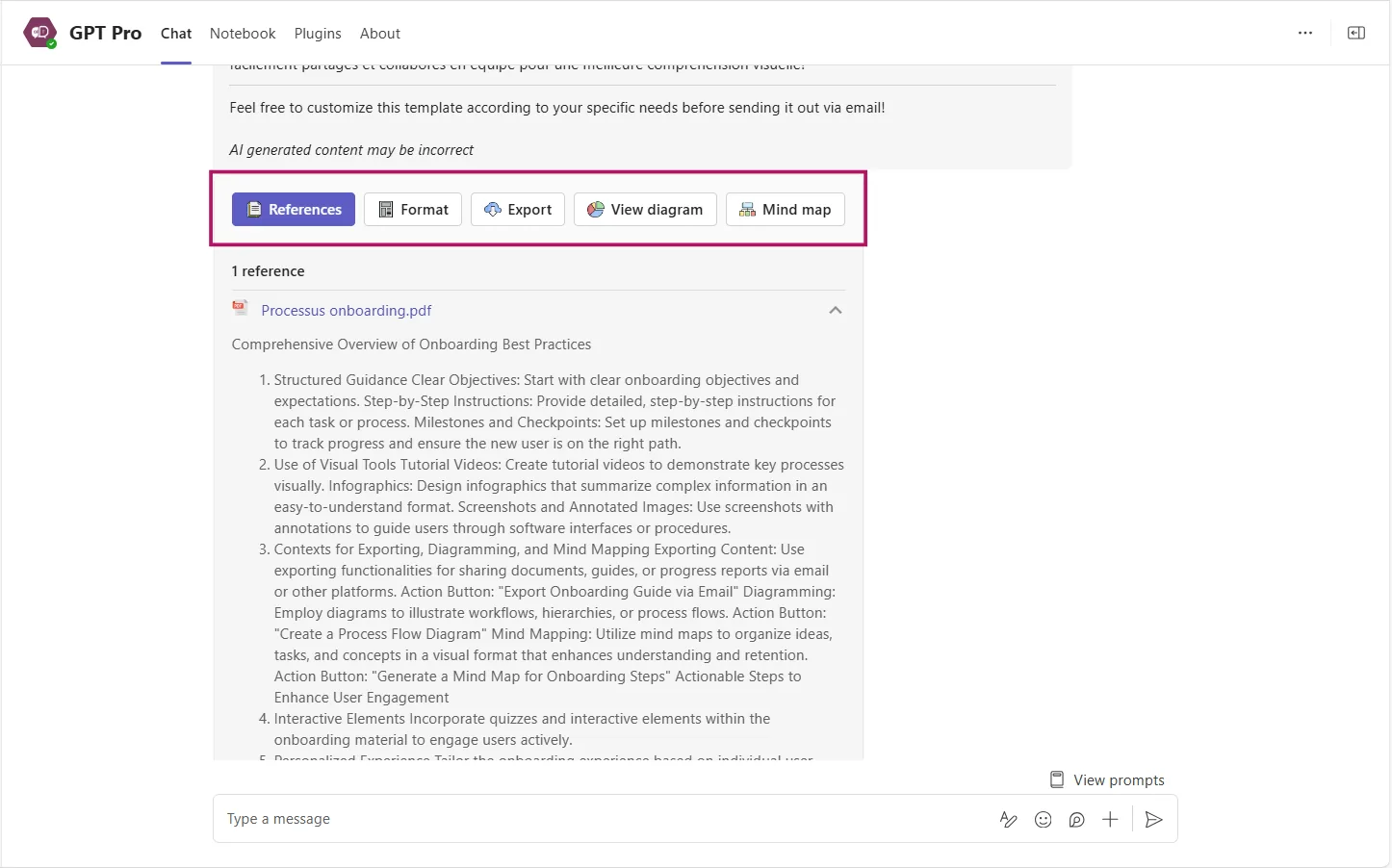
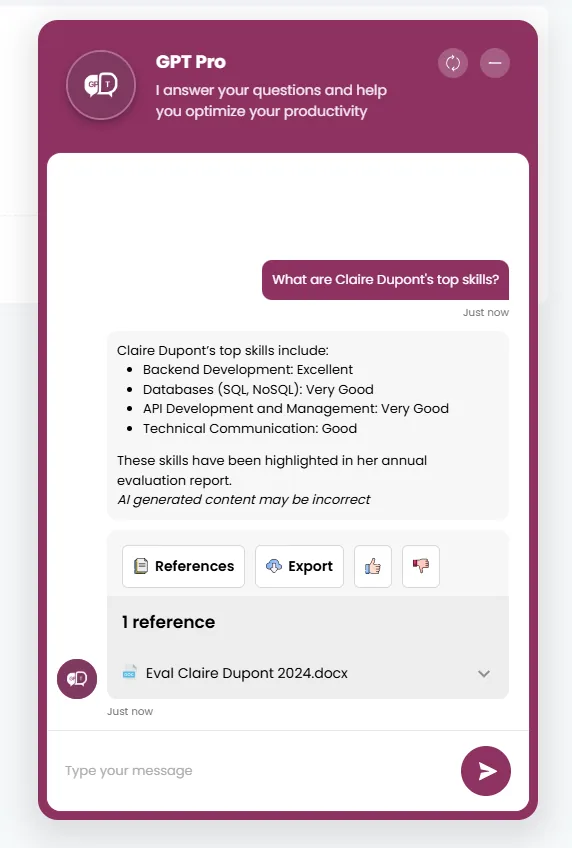
Finance agent : The cap is 25 EUR including tax per meal in France and 35 EUR including tax abroad. A named receipt is required and must be submitted within 30 days.
Example of the AI Desk Pro interface
A Finance AI agent is a conversational assistant that answers recurring internal questions about expense claims, purchasing, supplier invoicing and budget procedures, using the documents approved by the finance department. Built into Microsoft Teams with AI Desk Pro, it cuts the number of follow-ups sent to accounting and makes the rules easier to apply consistently.
You decide which documents the agent uses. It answers only from that set, approved by your finance department.
AI Desk Pro plugins connect the agent to your tools through their APIs: pre-fill a purchase request, check a supplier reference list, open a ticket with the accounting team. These connectors are designed during the project and quoted individually.
The webchat also lets you place the agent on your finance intranet in SharePoint, for employees who look for information from the portal rather than from Microsoft Teams.
Organizations that have deployed Witivio agents on administrative procedure questions report fast gains, without a large internal project team.
CNAF estimates 32 K€ of annual productivity gains across its portfolio of agents, which covers internal procedures, IT and HR. Source: CNAF case study.
"Every time an employee uses our specialist chatbot, Eve, 20 minutes of working time are saved."
No. It explains the rules, lists the receipts required and points to the submission tool. Approval stays inside your process and with your designated approvers. Automation through a plugin, for example pre-filling a form, can be studied during the project and quoted separately.
By setting up one agent per entity, or by structuring the question and answer base by scope. Each agent receives the documents of its entity and its own instructions. We frame this during the project, with your finance teams and your IT department.
The agent only answers from the documents you give it. Administrator access is named, authentication goes through Microsoft Entra ID, hosting is on Azure in Europe and anonymous mode can hide user identities in the history. The details are on the AI Desk Pro security page.
Yes. A Finance agent goes live in 4 to 6 weeks with the Witivio experts. Your administrators then create other agents, for IT or HR, on the same platform and without development, reusing the groundwork already done.
We show you a Finance agent at work in Microsoft Teams, based on your spend policy, and we frame a first scope together.
Continue your evaluation with the pages that matter most to your project.