
FR · EN Book a demo
AI Desk Pro SaaS
Book a demo
Features

Everything you need to build, deploy and run your AI agents in Microsoft 365

One platform, four steps: connect your knowledge, design the agent, publish it on your channels, then measure and improve.

AI Desk Pro is a no-code SaaS platform for AI agents in Microsoft 365. A non-developer administrator creates an agent, gives it approved knowledge, publishes it in Microsoft Teams, in a webchat or through an MCP server, then tracks adoption and answer quality from a single admin portal.

Book a demo Read the documentation

30 minutes with a Witivio expert, no strings attached.

Step 1

Sources

SharePoint libraries and pages, PDF, Word and PowerPoint documents, question and answer base.

then
Step 2

Agent

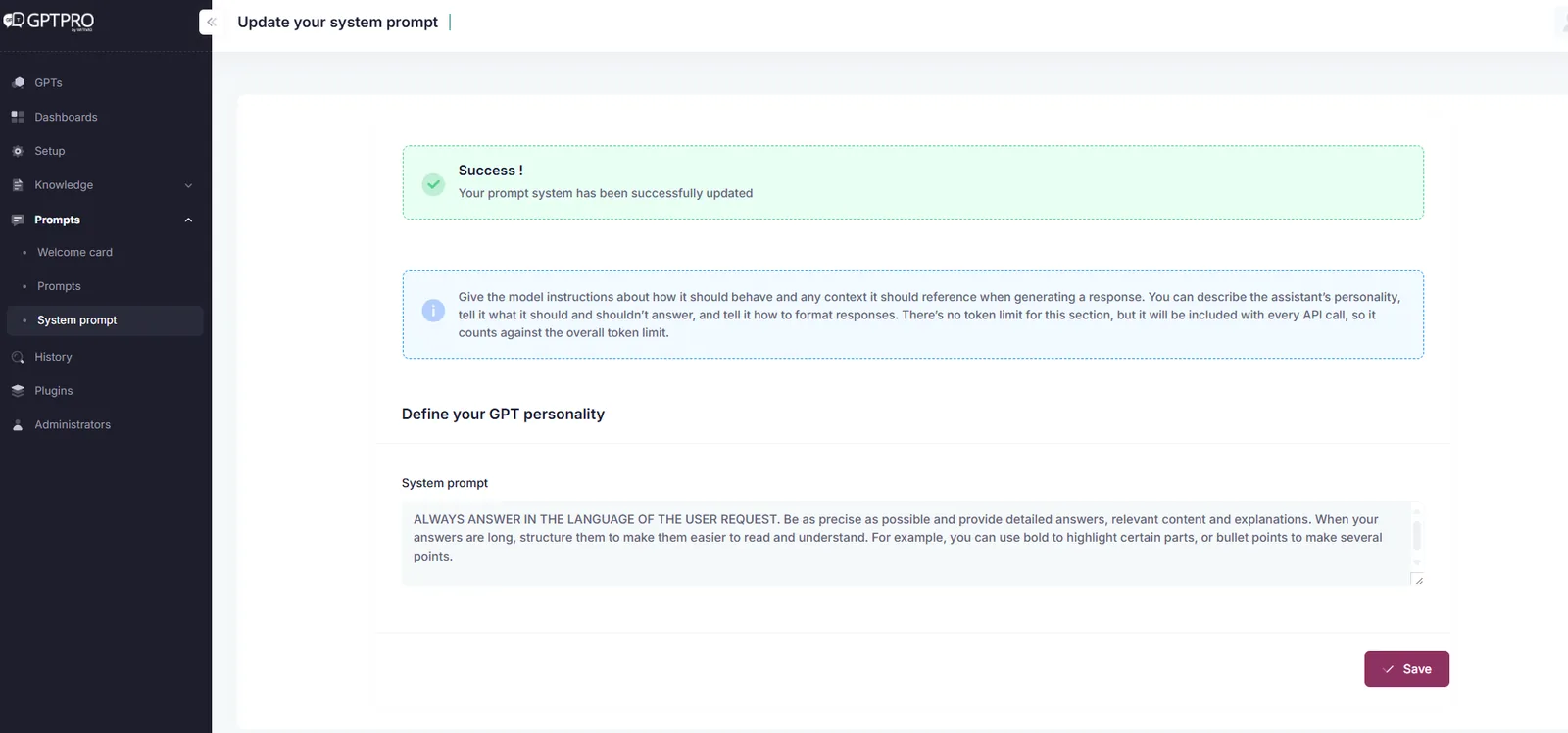
Instructions, your choice of AI model and an adjustable document relevance threshold.

then
Step 3

Channels

Microsoft Teams, Cockpit tab, web chat on your site or SharePoint, MCP server.

then
Step 4

Analytics

Analytics, feedback, filterable history and Excel export to keep improving answers.

then
Step 1

Connect the knowledge your experts have already approved

An agent is only as good as the sources it cites. AI Desk Pro indexes the content your teams already maintain, with no need to copy your documentation into a parallel tool. Every answer shows the references it used, so employees can check the facts and go back to the source.

Office documents
PDF, Word and PowerPoint files, up to 10 MB and 300 pages per file. OCR reading is included: scanned PDFs and images embedded in documents are interpreted.
SharePoint libraries
Entire libraries are synchronized and reindexed automatically whenever a document changes. A document that has not been modified is never reindexed. Availability depends on your plan, see the plan summary.
SharePoint pages
Site pages, news posts and articles are indexed as full sources. Ideal when your intranet is already structured and kept up to date. Availability depends on your plan, see the plan summary.
Question and answer base
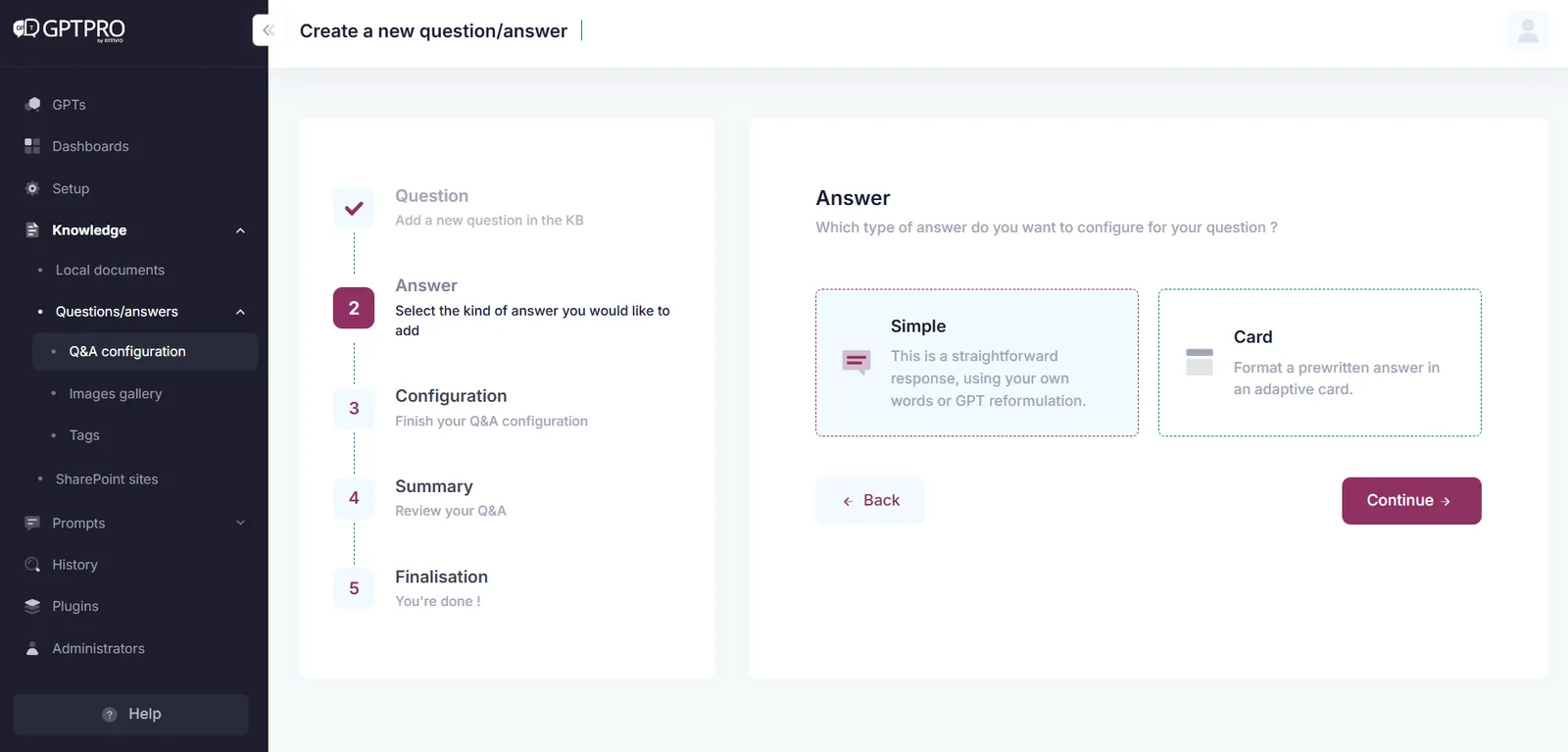
A Q&A editor with three answer types: plain text, a card with an image and buttons, or a guided multi-step dialog with conditions, variables and API calls. Drafts, publishing, tags, audit trail and Teams preview are built in.
Targeted web search Preview
The agent can complete its answers from a list of trusted sites that you define, such as a government portal or a vendor documentation site.

Source priority order: approved Q&A entries come first, then documents and libraries, then SharePoint pages, then the web. An adjustable document relevance threshold prevents off-topic answers when no source really matches the question.
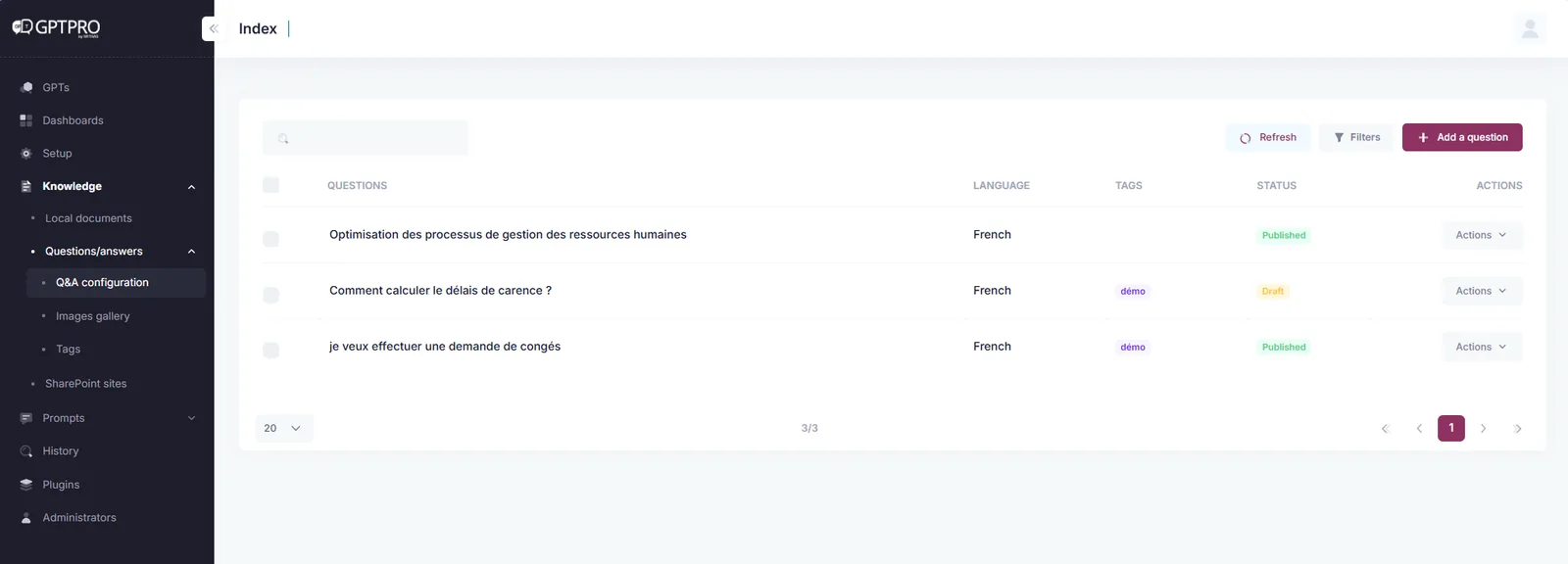
AI Desk Pro question and answer editor showing published Q&A entries and their tags
The Q&A editor: writing, tagging, draft or published status and preview before go-live.
Answer type selection in AI Desk Pro: plain text, rich card or guided dialog
Three answer types, from plain text to a guided dialog with conditions and API calls.
Step 2

Design an agent by describing what it should do

Agents are created in the admin portal, with no code and no development project. You describe the scope, adjust the instructions, pick the model and publish.

Agent Maker
Describe the scope in plain language, for example "HR assistant for leave and remote work questions". The AI suggests the name, the welcome message and the instructions. Publishing to Teams then takes one click.
Instructions and business vocabulary
Two fields of 4,000 characters each to set the tone, the answering rules and your internal terminology: acronyms, tool names and process labels.
Model choice per agent
OpenAI GPT through Azure OpenAI is included. Mistral Large through Azure AI Foundry and Claude Opus through the Anthropic API are available on the Premium plan, with explicit consent from the administrator.
Identity and behavior
Name, icon, description, anonymous mode, balance between Q&A and documents, plus SourceSense (preview) to display references continuously inside the conversation.
Welcome card and starter prompts
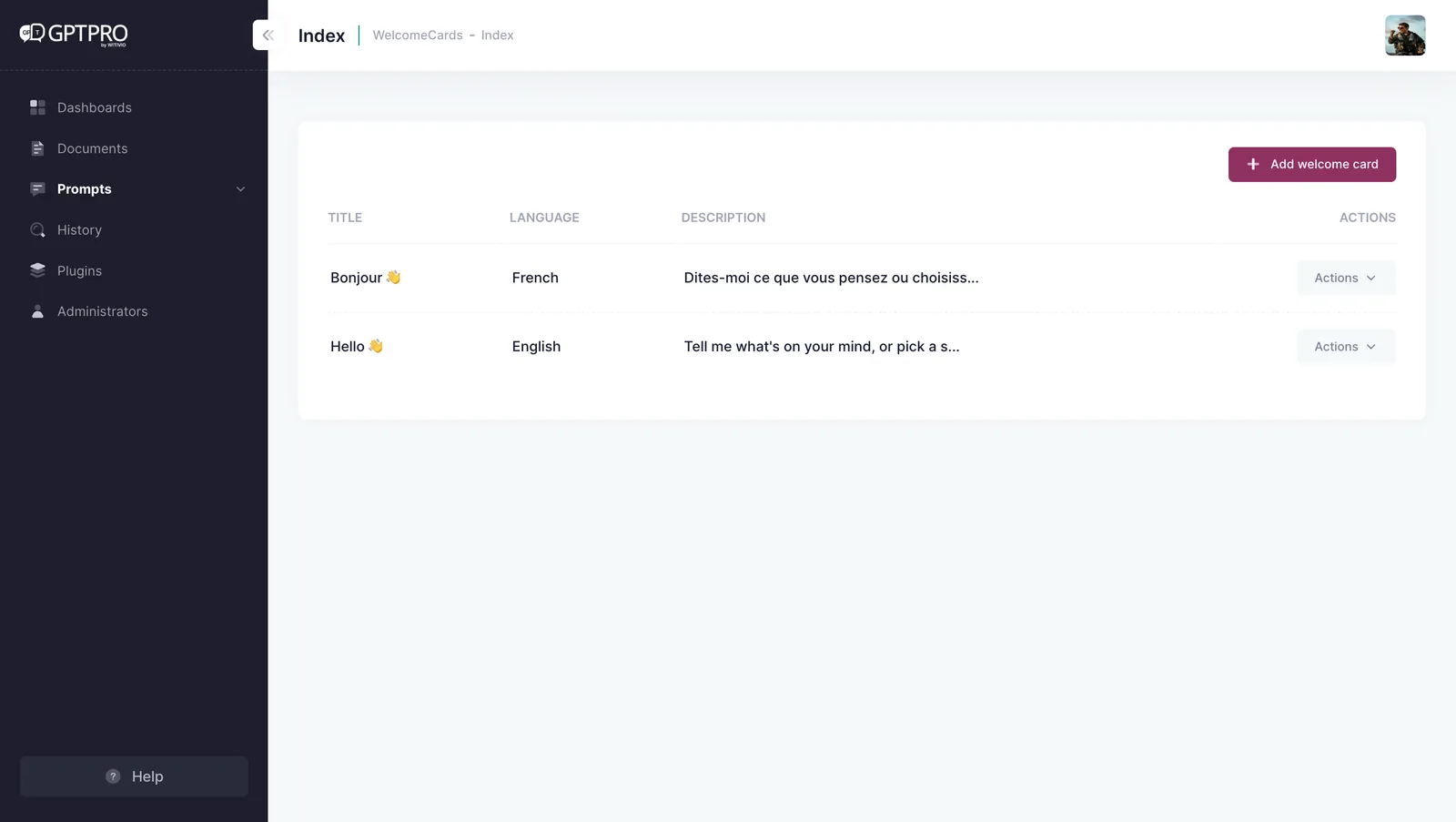
The welcome card is deployed automatically in French and English. Suggested questions are grouped by category to guide the first conversations.
Step 3

Publish where your employees already work

An agent is only useful when it is within reach. AI Desk Pro publishes to Microsoft Teams, to your intranet and to tools that support the Model Context Protocol, without asking employees to open yet another portal.

Microsoft Teams chat
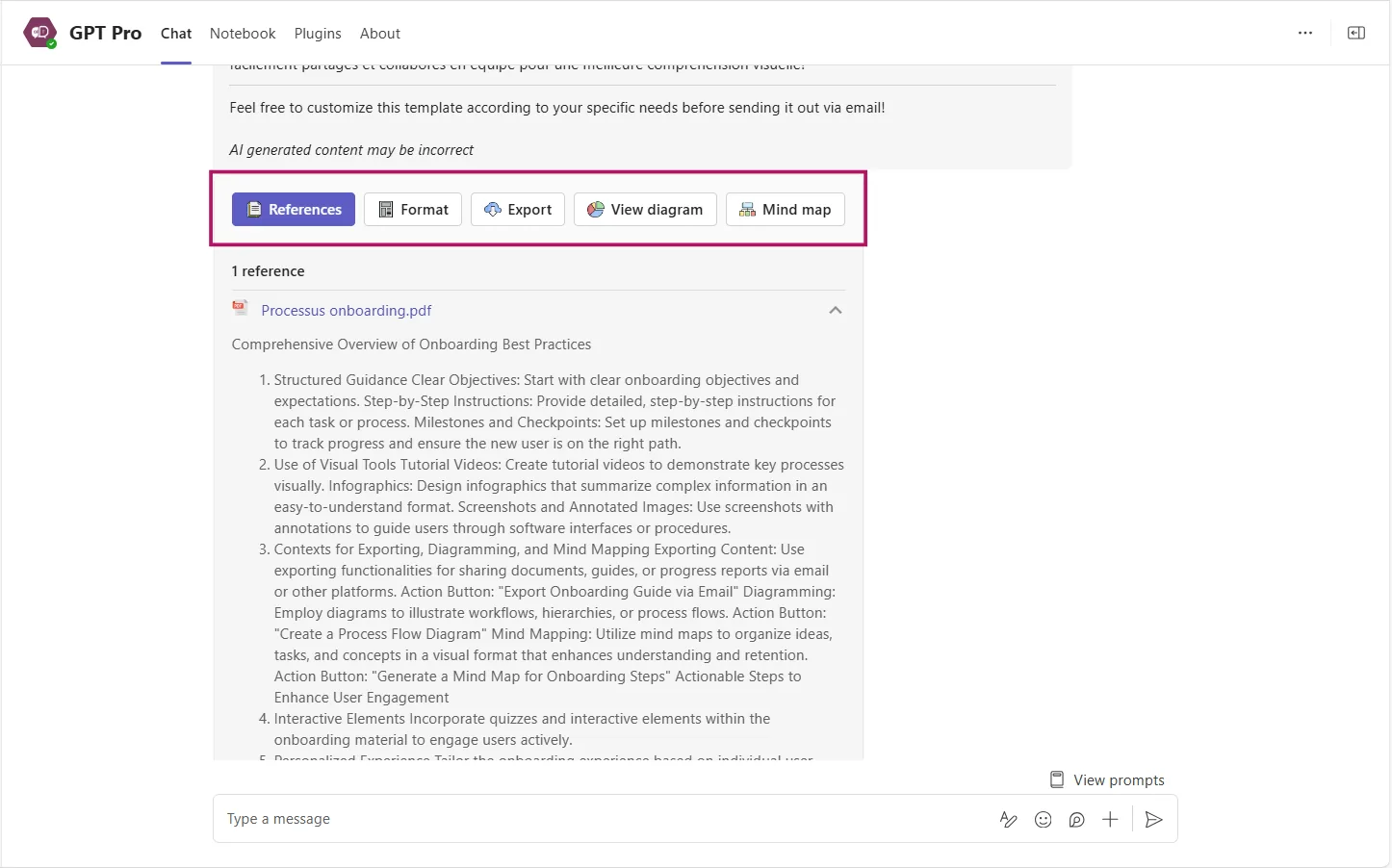
A direct conversation with the agent, on desktop and mobile. Every answer carries an action bar: open the source, convert to a table or a list, export to Word, PDF or Excel, generate a diagram, send through Outlook.
Cockpit, the personal portal in Teams
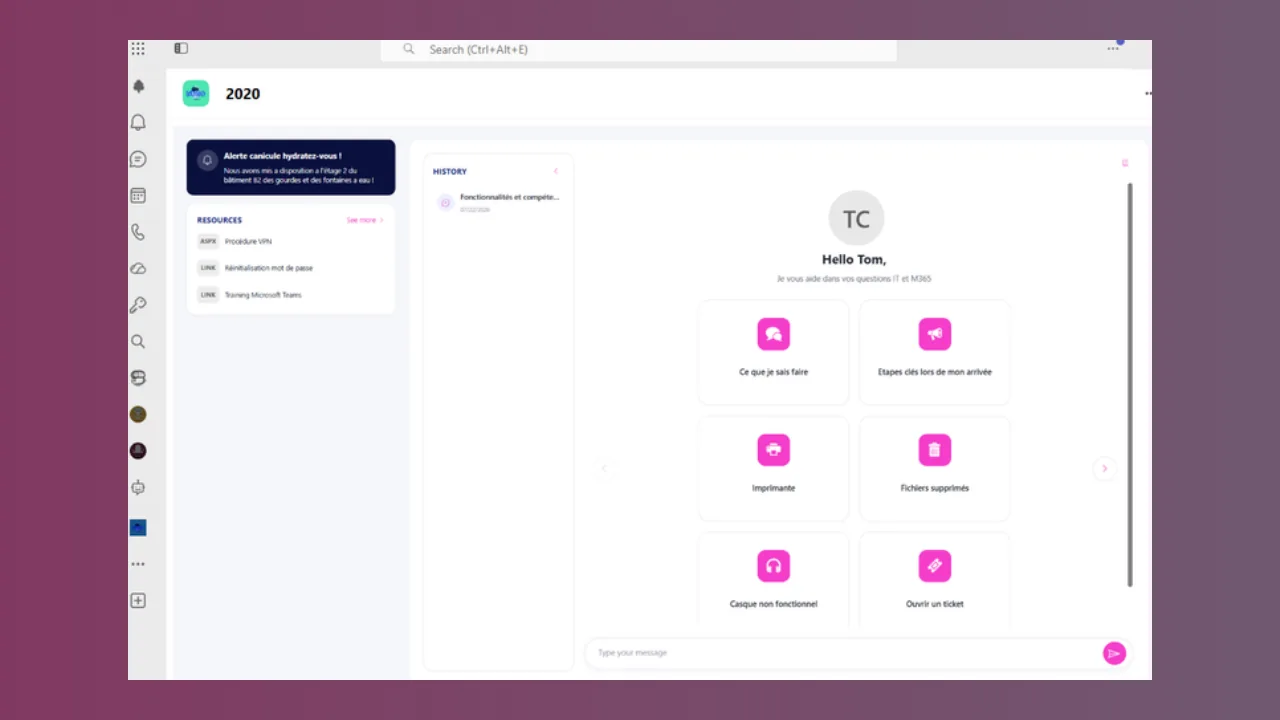
Chat, 30-day history, pinned resources, starter questions, an information banner, internal communications and the user's own ServiceNow tickets, set up by our team during the project, with end-to-end single sign-on. Teams themes and your brand colors are supported.
Webchat
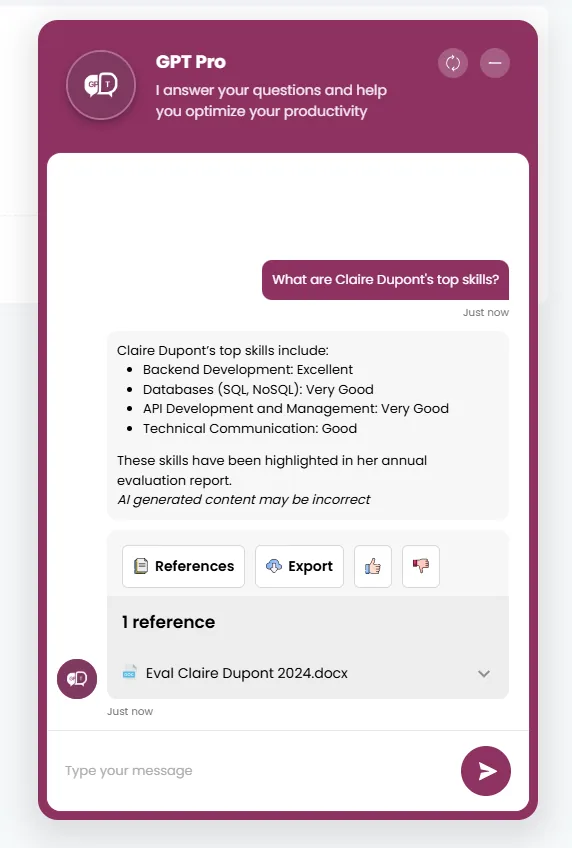
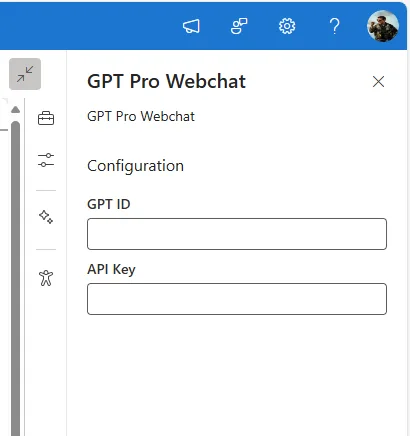
A widget for your website or a SharePoint web part. Customize the greeting, colors, dimensions and language, secure it with an API key and an allowed URL list, and add optional Microsoft 365 authentication. Availability depends on your plan, see the plan summary.
MCP server Preview
Expose the agent to tools that support the Model Context Protocol: Claude Desktop, VS Code with GitHub Copilot, internal applications. Delegated Entra ID authentication ensures every call runs on behalf of a signed-in user.

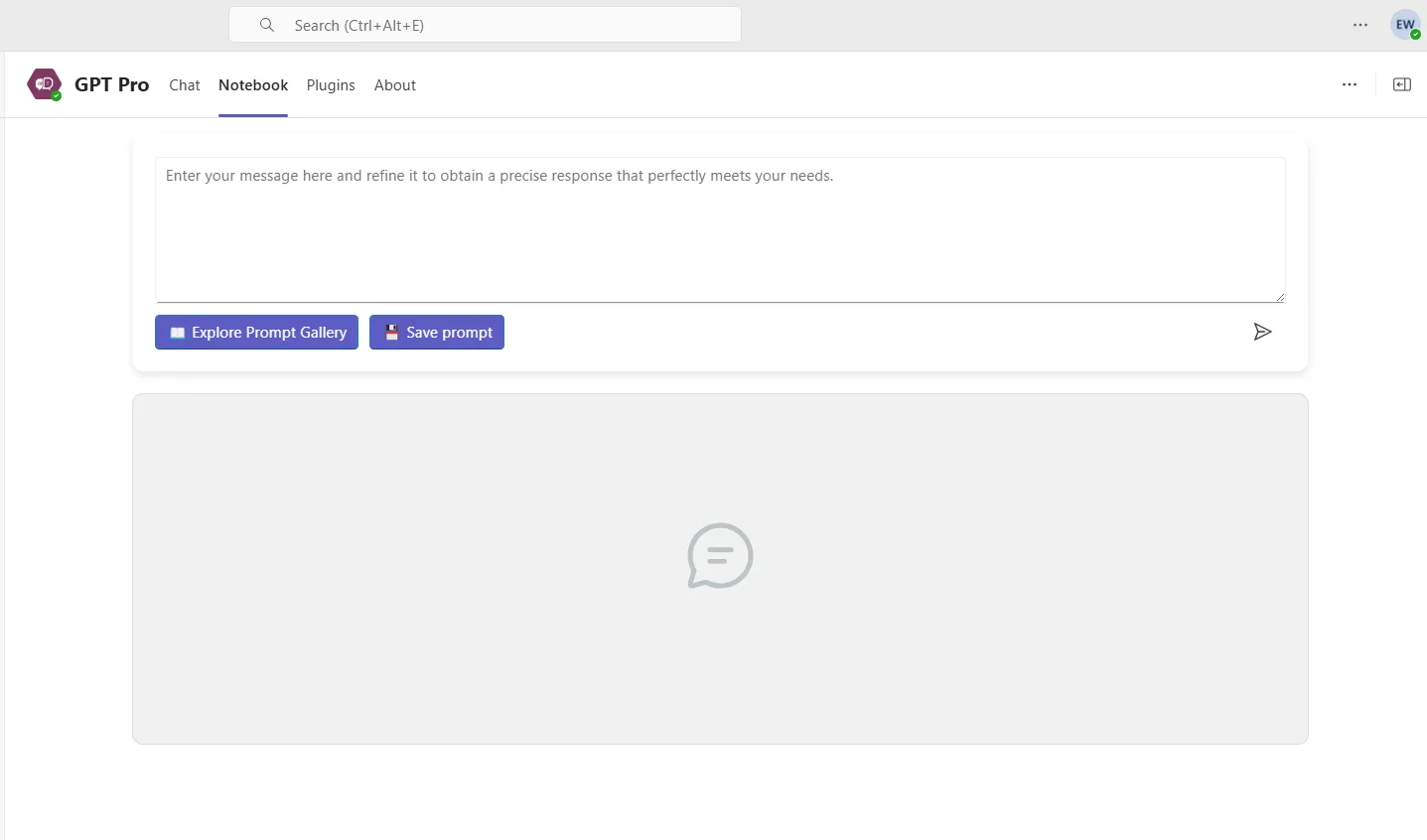
The Notebook tab completes the picture: a place in Teams where your teams write, test and save prompts shared across the organization.

AI Desk Pro Cockpit tab in Microsoft Teams with the chat, resources and conversation history
The Cockpit brings the conversation, useful resources and history into one Microsoft Teams tab.
Step 4

Measure adoption and quality, agent by agent

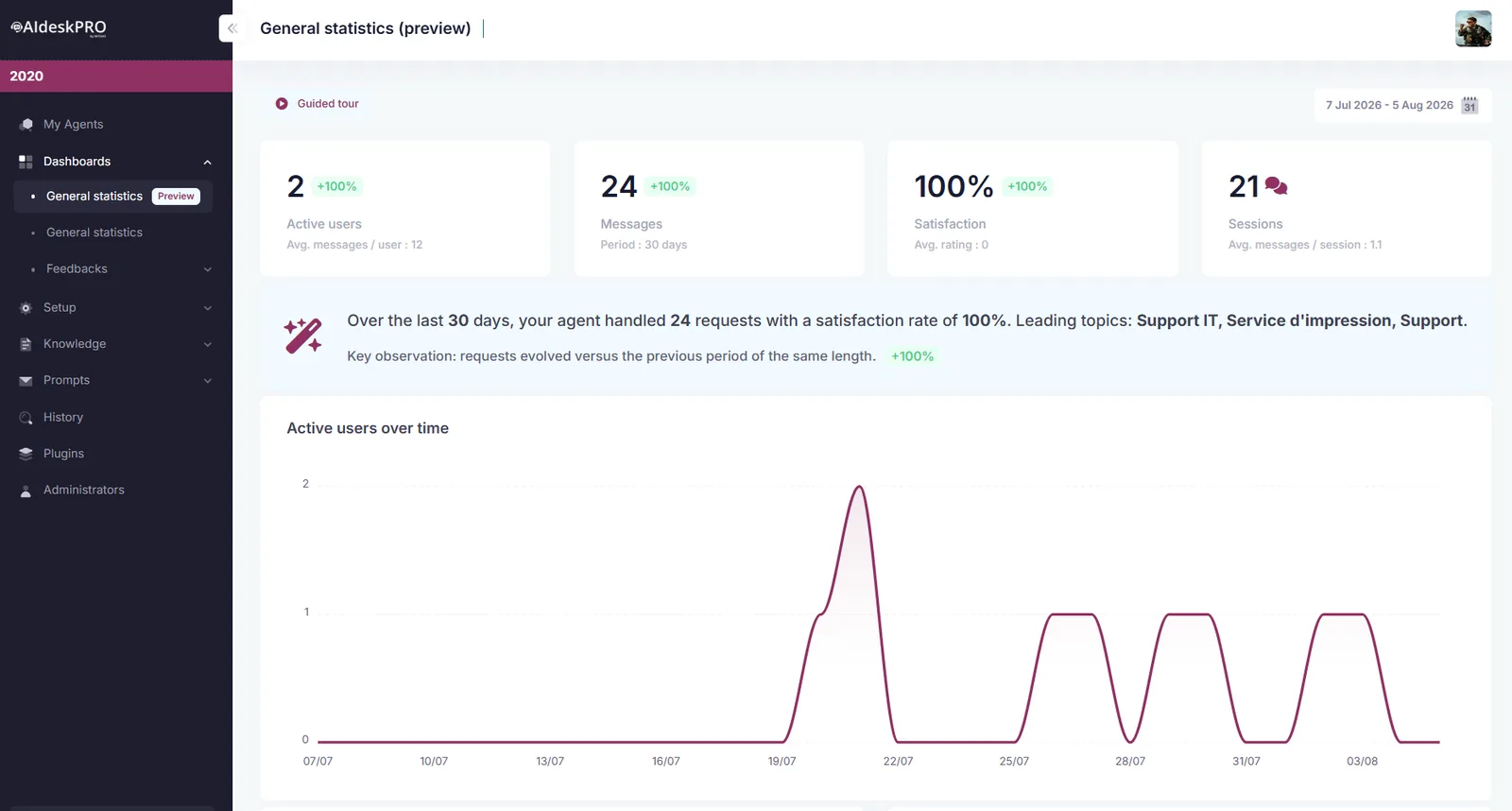
Analytics ship with the platform instead of being rebuilt in a spreadsheet. You see who uses the agent, on which topics, with which sources, and where answers need work.

Per-agent dashboard
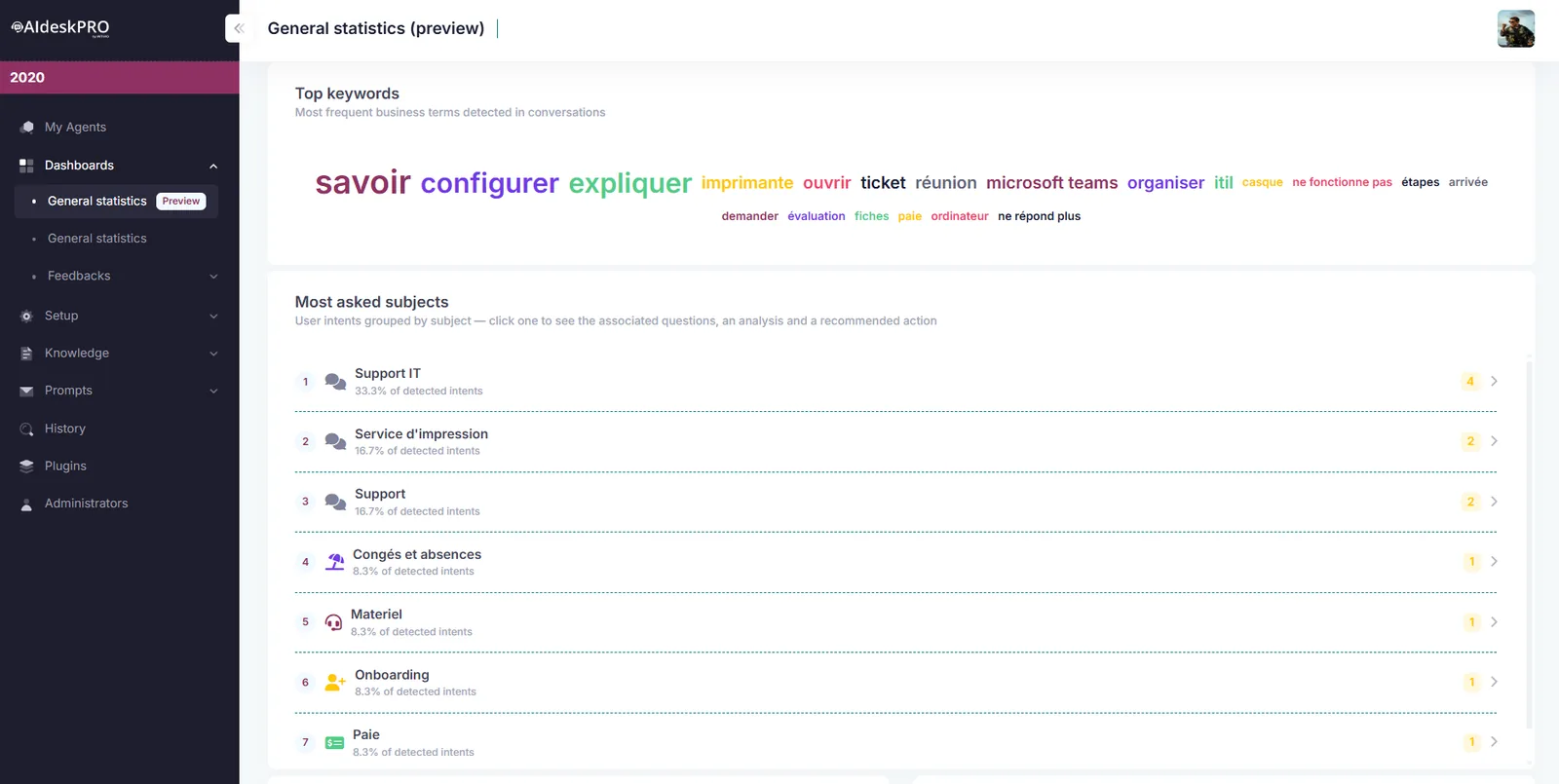
Distinct users, messages exchanged, satisfaction rate and keywords generated automatically from the conversations.
General statistics Preview
Automatic conversation categorization, most requested topics with a confidence level, top 20 cited documents and Q&A entries, Teams and webchat split, most active users and recommended action plans.
Multi-agent analytics Preview
A consolidated view of the subscription, automatic comparison with the previous period, and hourly, daily or monthly granularity.
Conversation history
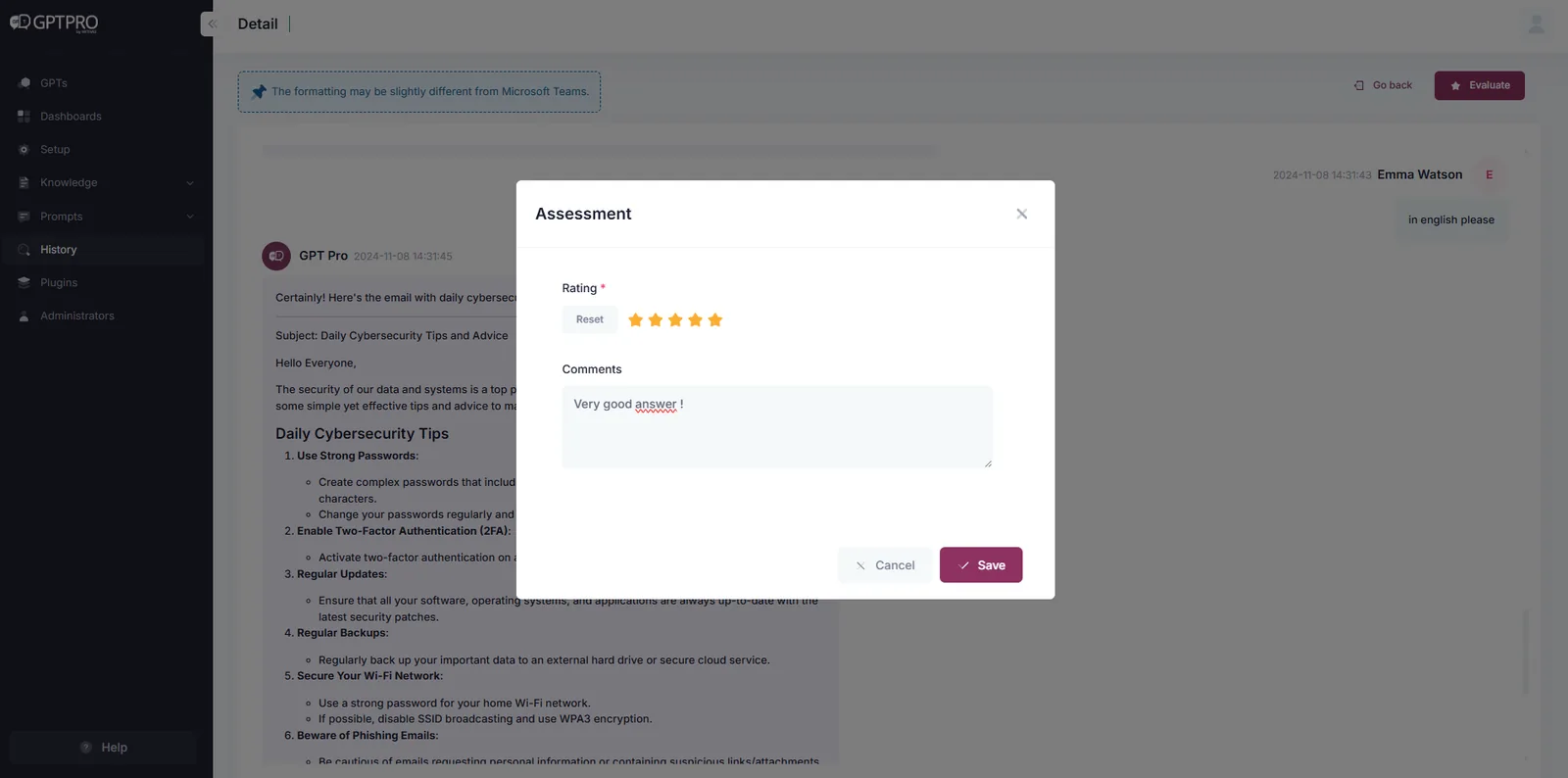
Every interaction with its cited sources, search by keyword or user, filters by channel and date, and answer rating by an administrator.
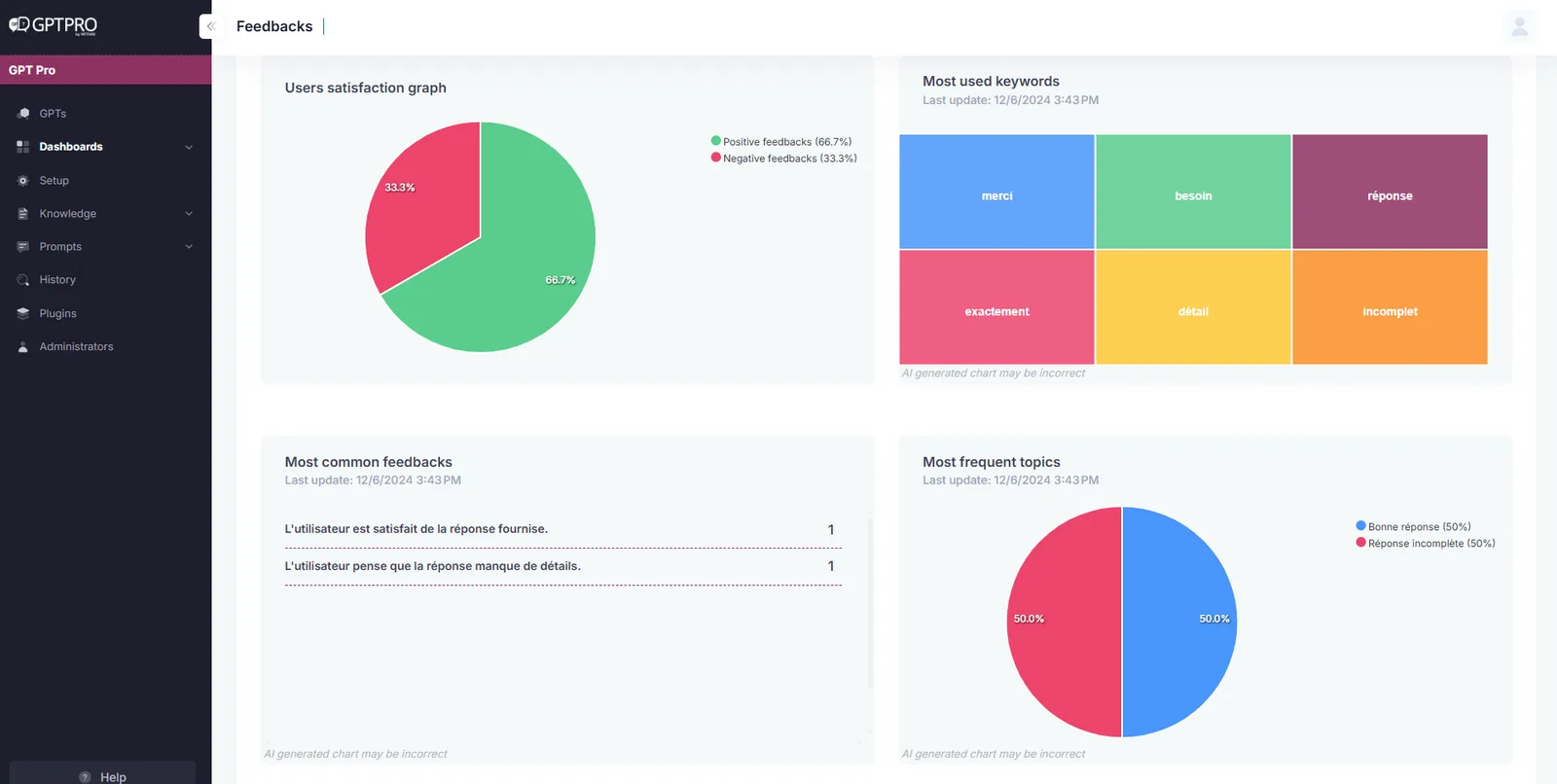
Feedback
Thumbs up or down on every answer, a mandatory comment when the user is not satisfied, AI categorization and Excel export for your service reviews.

Adoption benchmarks from our onboarding guide: 10 to 20% of target users in the first month, 30 to 50% at three months, more than 50% at six months. A satisfaction rate above 80% is considered good.

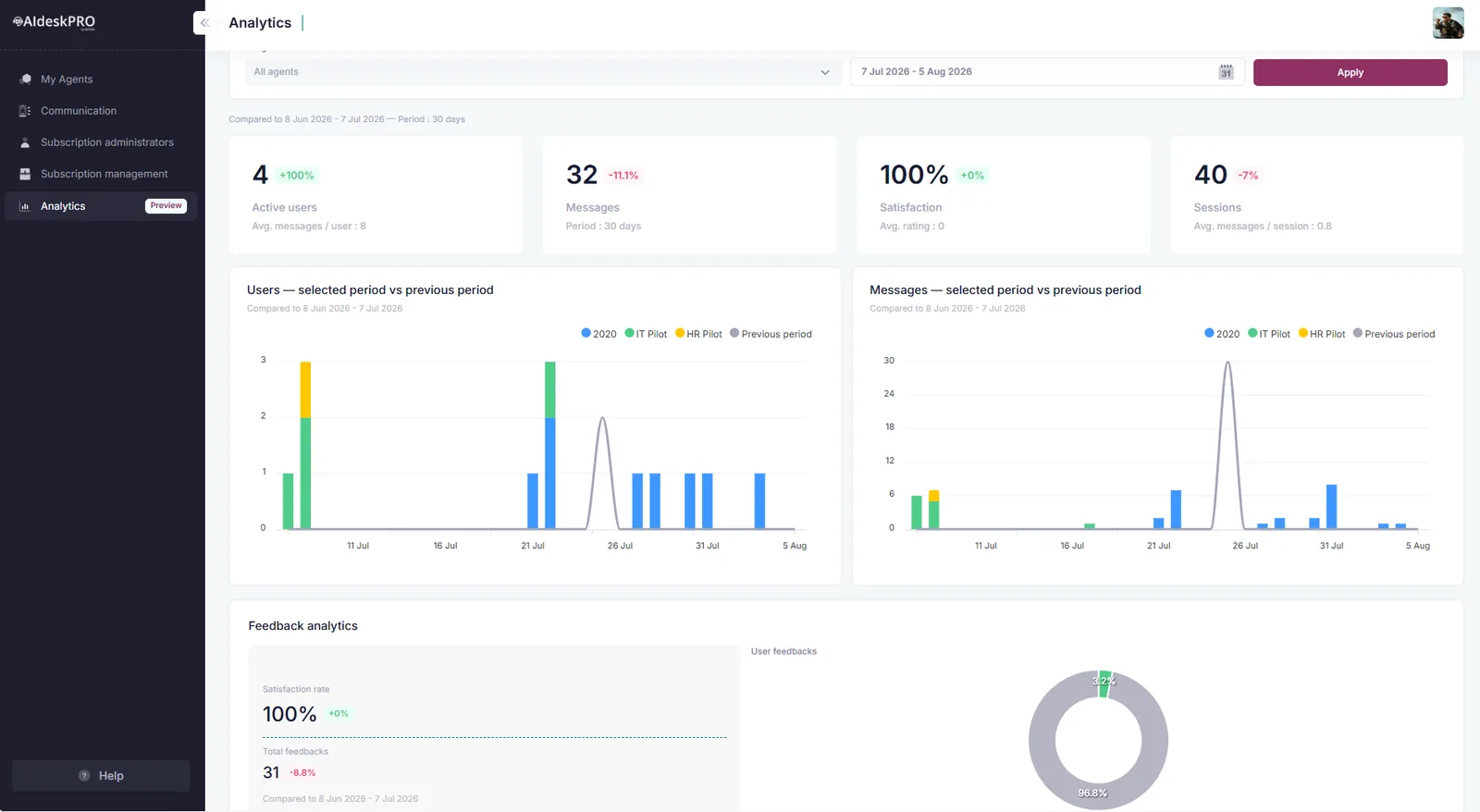
AI Desk Pro multi-agent analytics showing message volume and active user trends
Multi-agent analytics: the consolidated subscription view, compared with the previous period.
Option

Push the right information at the right time

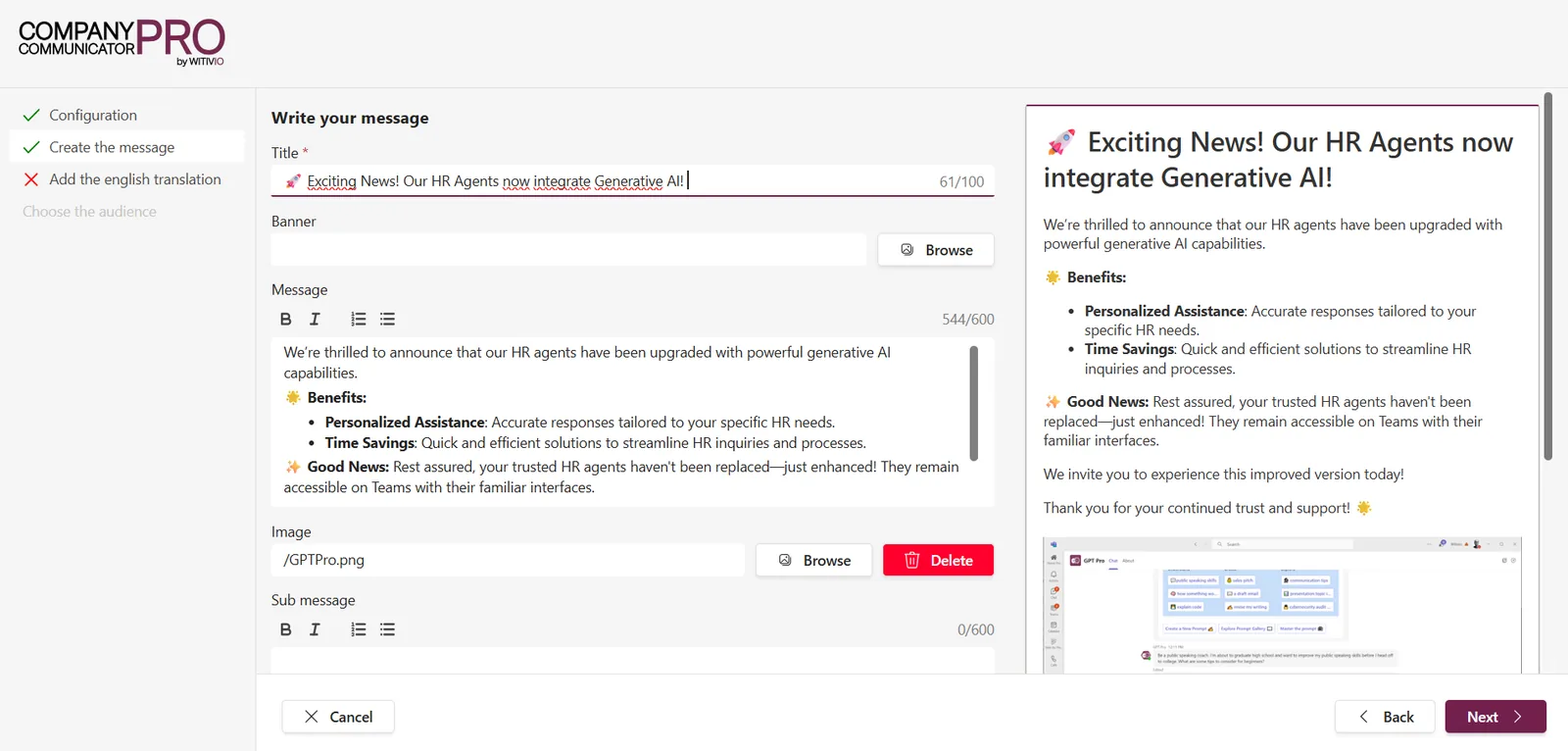
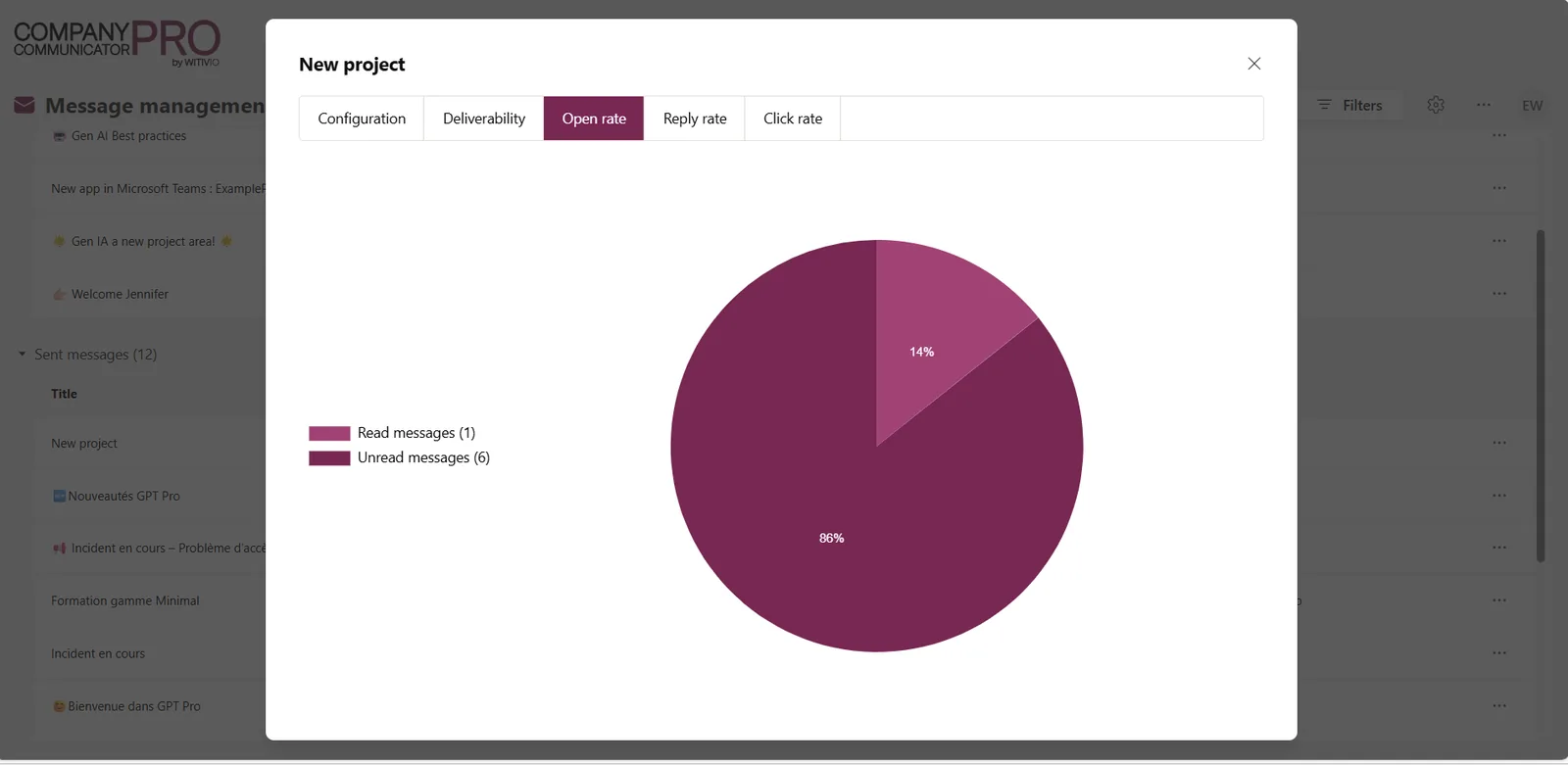
Push Communication sends targeted messages inside Microsoft Teams and the Cockpit: distribution lists or all users, scheduling on the date you choose, drafts, language versions, images, buttons and reader feedback. You then track delivery, opens, clicks and the feedback you receive.

This is the channel teams use to announce planned maintenance, remind employees of a review campaign deadline or support the rollout of a new tool, without adding one more email to already full inboxes.

Extend

Connect the agent to your tools

Answering is not always enough. AI Desk Pro can call your business services to check a piece of information or trigger an action, within the boundaries you define.

Plugins
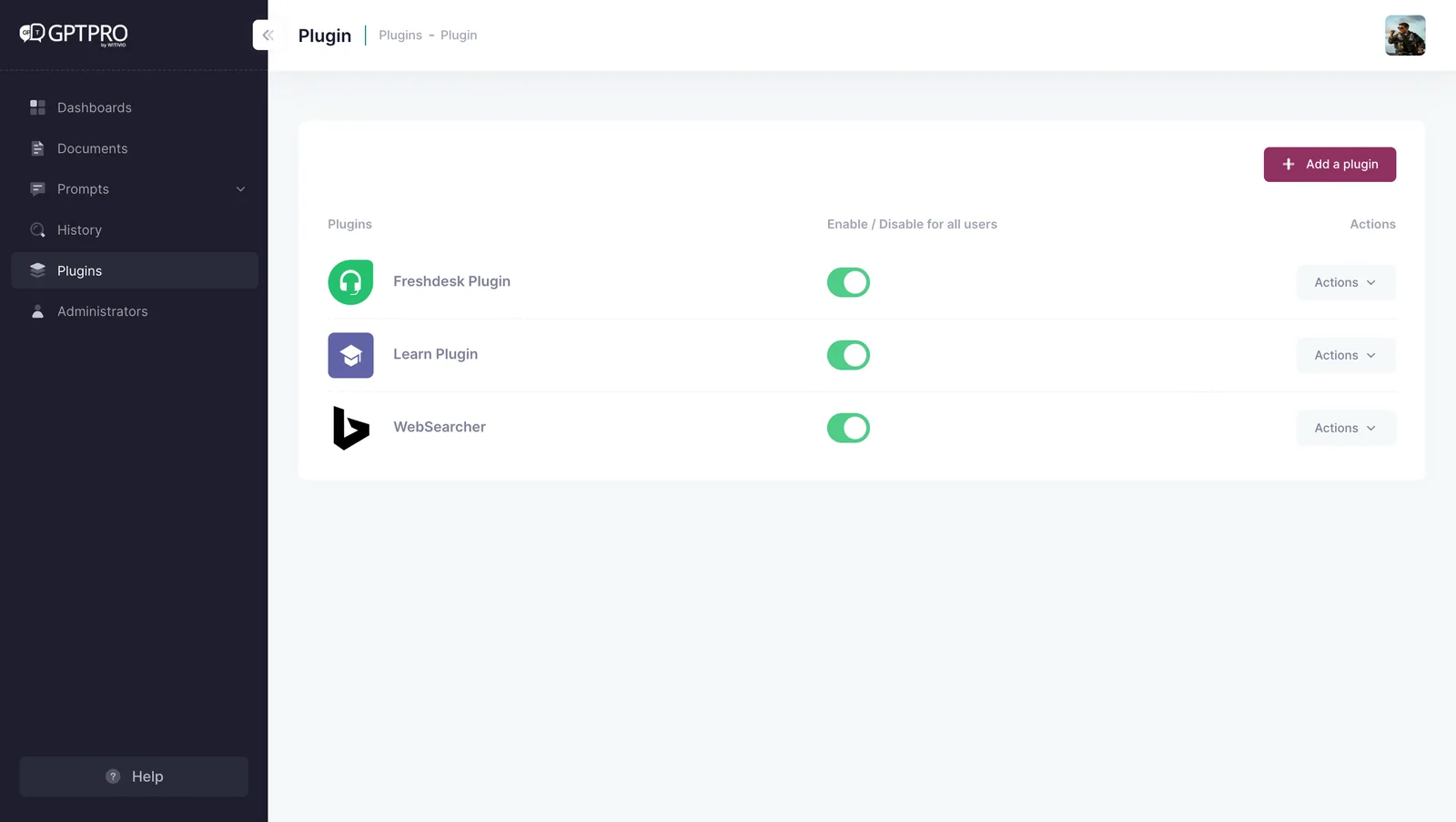
Add third-party actions and services through an API manifest in the OpenAI format, with configurable HTTP headers and keys, activation agent by agent and up to 5 active plugins by default. Connectors to your ITSM, HRIS or ERP are delivered on a quote basis.
Power Platform
Automations and Power Automate flows around the agent, scoped with our experts during the design workshop.
Escalation to a human
Unresolved conversations are handed over to a support team, available on the Platinium plan.
API and MCP server
Embed the search and answering capabilities of the agent in your own applications, with the same governance over sources and identities.
Plugin management in AI Desk Pro with the API manifest and authentication keys
Plugin management: API manifest, HTTP headers and activation per agent.

Custom agents and governance: discover Copilot Factory

Governance

Governance designed for IT leadership

The platform relies on your Microsoft 365 tenant and on the rules you already enforce. No parallel directory, no extra password.

  • Named administrators authenticated through Microsoft Entra ID, with your tenant MFA and conditional access policies enforced.
  • Administration rights management, so each team only configures what it owns.
  • Content filtering applied to inputs and outputs across four categories: hate, sexual, violence and self-harm.
  • Anonymous mode to hide user identity in history and statistics.
  • Admin interface available in French and English.
  • 100% Azure hosting in Europe, with encryption in transit and at rest.
  • Witivio is ISO/IEC 27001:2022 certified, with public documentation and a Trust Center open to your teams.
Witivio is ISO/IEC 27001:2022 certified Witivio, Microsoft Partner Hosted on Azure Europe

See the security and compliance page

A specific question about one feature?

A Witivio expert will show you how the platform behaves on a case close to yours.

At CNAF, the agent handled 3,522 automated interactions for an estimated 32 K€ in annual gains (source: CNAF case study).

Book a demo Read the documentation
Packaging

Which features come with which plan?

An extract from the licensing grid. Indexing capacity and the number of agents vary with the plan and the add-ons you subscribe to.

FeatureAvailability
Q&A base and local documentsAll plans
Agent administration and single sign-onAll plans
Dashboard and conversation historyPremium, Platinium
Webchat and SharePoint librariesPremium, Platinium
Feedback and Excel exportPremium, Platinium
Escalation to a human and SharePoint pagesPlatinium
Push Communication and user profilesAdd-on
Connector to a third-party toolOn quote

Scoping takes 4 to 6 weeks with our experts, or 3 weeks in the accelerated format: discover the Jumpstart format.

See the full pricing grid

FAQ

Frequently asked questions about AI Desk Pro features

Depending on the plan, an environment accepts up to 50 documents. Each file is capped at 10 MB and 300 pages, and one document counts as 20 pages of quota. Add-ons increase indexing capacity as your document base grows.

Yes. The welcome card ships in French and English, Push communications are multilingual, and the agent answers in the language of the question asked.

RAG, or retrieval augmented generation, first retrieves the relevant passages from your sources, then generates the answer from those passages only, with a citation. AI Desk Pro adds your instructions and an adjustable document relevance threshold on top.

Yes. The editor offers a Teams preview, the Notebook lets you test prompts before sharing them, and a sandbox environment is available as an add-on to validate a configuration without touching production.

On docs.witivio.com, in the AI Desk Pro section: getting started, features, limits, models and release notes. Read the AI Desk Pro documentation.

See the platform running on your own documents

We build a demo agent with your sources and your most frequent questions.

Book a demo See pricing
AI Desk Pro mini-site

Go further

Continue your evaluation with the pages that matter most to your project.

Read the AI Desk Pro documentation (opens in a new tab)